
Trying to get your next project off the ground without a solid plan? It’s easy to feel lost in the details. But with the right approach, you can steer things smoothly. We’ve put together some project management ideas that can help make your work clearer and more organized. Think of these as tools to help your team stay on track and get things done without too much fuss. Let’s look at some ways to manage projects better.
Key Takeaways
- Using structured project management ideas helps teams work more efficiently and hit their targets.
- Building a website for interview practice can teach you about managing different parts of a project and getting them ready for use.
- A renovation project shows how to plan, manage budgets, and work with different people involved.
- Setting up a system for clinical services helps manage development and deployment for health tech.
- Tracking construction work with data helps improve how building projects are done.
1. Interview Preparation Website
Building an interview preparation website is a solid project idea that really brings together a lot of different skills. You’re not just coding; you’re thinking about user experience, data management, and how to make information easy to find and use. The goal is to create a platform that helps people get ready for job interviews, offering practice questions, feedback, and resources.
Think about the core features you’d need. You’ll likely want a way to store a large number of interview questions, perhaps categorized by industry or role. Then, you need a system for users to select questions and receive them, maybe even with a timer to simulate real interview pressure. After the user answers, providing some form of feedback or self-assessment tool would be a great addition. This project involves a lot of backend development for data handling and APIs, alongside frontend work to make it user-friendly.
Here’s a breakdown of what you might include:
- Question Database: A robust system to store and retrieve interview questions efficiently.
- Practice Interface: A user-friendly way for candidates to engage with questions, perhaps with different modes (timed, untimed).
- Feedback Mechanism: Tools for users to review their performance, whether through self-scoring, AI analysis (if you’re ambitious!), or peer review.
- Resource Library: Links to articles, videos, or tips on interview techniques and common questions.
This kind of project is great for learning about full-stack development and how to manage a project with multiple components. You’ll also get a feel for how to structure data and build interfaces that people will actually want to use. It’s a practical way to build a portfolio piece that shows you can handle complex requirements. Preparing for your own project management interviews might even become easier after working on this! You can find some helpful tips on common project management interview questions here.
Building this kind of site requires careful planning of the database structure and the user flow. You want to make sure that finding and practicing questions is straightforward, without unnecessary steps. Thinking about how users will interact with the site from the start makes a big difference in the final product.
Consider how you’ll handle different types of questions, like behavioral or technical ones. You might also want to think about user accounts so people can track their progress. This project offers a lot of room for creativity and technical problem-solving, making it a rewarding experience.
2. Renovation Sprint

Think about your last home renovation. Was it a smooth ride, or did it feel more like a chaotic scramble? Often, traditional renovation projects get bogged down by endless delays and miscommunication. That’s where the ‘Renovation Sprint’ idea comes in. It borrows from agile software development, breaking down a big renovation into smaller, manageable chunks of work, called sprints.
This approach helps keep things moving and allows for quicker feedback. The goal is to make the renovation process more predictable and less stressful.
Here’s how it generally works:
- Define the Sprint Goal: What specific part of the renovation needs to be completed in this short period (usually 1-4 weeks)? Maybe it’s finishing the bathroom tiling or installing the kitchen cabinets.
- Plan the Work: The team figures out exactly what tasks are needed to hit that goal and who will do them.
- Execute and Review: Work happens during the sprint. At the end, you have a review to see what’s done and what needs adjustment for the next sprint.
- Adapt: Based on the review, you adjust the plan for the next sprint. This flexibility is key.
This method is great for managing complex projects, like home upgrades, where you need to coordinate different trades and materials. It helps keep everyone on the same page and tackles problems as they pop up, rather than letting them snowball. It’s a way to bring some order to what can often feel like a messy process, making it easier to manage project management practices.
Using sprints means you’re not just waiting around for things to happen. You’re actively managing progress in short bursts, which can really speed things up and improve the final outcome. It’s about getting things done in focused periods.
This structured approach can be applied to various renovation scenarios, from a single room refresh to a whole-house overhaul. It’s about building momentum and achieving tangible results sprint by sprint, which is a core idea behind Agile Renovation Sprints.
3. Clinical Services Platform
Building a clinical services platform is a big undertaking, but with good project management, it can be done effectively. Think about managing the development of systems that help healthcare providers offer better services, especially in areas where access might be limited. This isn’t just about software; it’s about making real improvements in people’s health.
The core idea is to create a centralized system that streamlines various clinical operations. This could involve patient scheduling, managing electronic health records, and even facilitating remote consultations. It’s about bringing different pieces of the healthcare puzzle together into one manageable platform.
Here are some key aspects to consider when managing such a project:
- User Needs Assessment: Really dig into what doctors, nurses, and patients actually need from the system. Don’t just guess; talk to them.
- Technology Stack Selection: Choosing the right tools is important. You’ll want technologies that are reliable, scalable, and secure, especially when dealing with sensitive health data. Tools like an Electronic Data Capture system are vital here.
- Regulatory Compliance: Healthcare is heavily regulated. You’ll need to make sure the platform meets all the necessary privacy and security standards, like HIPAA. This is non-negotiable.
- Integration with Existing Systems: Often, new platforms need to talk to older ones. Planning for how your new system will connect with existing hospital or clinic software is a big part of the job.
- Phased Rollout: Instead of launching everything at once, consider releasing features in stages. This allows for feedback and adjustments along the way, making the final product much stronger.
Managing a clinical services platform project requires a careful balance between technical development, user experience, and strict regulatory requirements. It’s a complex environment where precision and clear communication are paramount to success.
Project management platforms can really help keep things organized, especially for research organizations dealing with complex workflows. They provide a solid framework for managing all the moving parts and improving collaboration among teams, which is key for efficient clinical trial execution.
4. Construction Workflow
Managing a construction project can feel like juggling a dozen chainsaws while riding a unicycle. There are so many moving parts, from materials arriving on time to keeping the crew safe and the budget in check. A well-defined construction workflow is your best bet for keeping everything from falling apart. It’s all about setting up a clear path for tasks, communication, and approvals so that everyone knows what to do and when.
Think about the typical stages: planning, design, pre-construction, construction itself, and then the final handover. Each of these has its own set of steps and potential hiccups. For instance, getting permits can take ages, or a supplier might suddenly run out of a key material. Having a system in place helps you anticipate these issues and react faster when they pop up. It’s not just about following a checklist; it’s about building a process that adapts.
Here are some key elements to consider for a smoother workflow:
- Clear Task Sequencing: Define the order of operations. What needs to happen before something else can start? This prevents delays caused by waiting for the previous step.
- Communication Hubs: Set up a central place for all project-related messages and documents. This cuts down on confusion and lost information, making sure everyone is on the same page.
- Resource Management: Keep track of who is doing what and when. Making sure you have the right people and equipment available at the right time is a big part of avoiding bottlenecks.
- Risk Identification: Regularly think about what could go wrong. Are there weather concerns? Potential supply chain issues? Having a plan B for common problems is smart.
Building a robust workflow isn’t a one-time setup. It requires ongoing attention and adjustments based on how the project is actually progressing. Regular check-ins and a willingness to tweak the process are vital for continuous improvement.
Using visual tools can really help. Imagine seeing your entire project timeline laid out, with dependencies clearly marked. This kind of visibility helps spot potential conflicts early. It’s also about making sure that quality checks are built into each phase, not just tacked on at the end. This approach helps catch problems when they are smaller and easier to fix, saving time and money down the line. For more on optimizing processes, check out construction workflow management.
Ultimately, a good workflow means less stress, fewer surprises, and a higher chance of finishing your project successfully, on time, and within budget. It’s the backbone of any successful build.
5. Fundraising Charity Portal
Managing a fundraising charity portal is a project that really blends technology with a good cause. It’s all about setting up systems to collect donations, keep track of volunteers, and get the word out about your events. You’ll be working with things like donor portals and campaign pages, making sure everything runs smoothly. This kind of project management is budget-conscious, focusing on getting the most impact from every dollar and every volunteer hour.
Key tasks often include:
- Developing donor portals for real-time pledge tracking.
- Using tools to deploy signup forms and volunteer modules.
- Coordinating donation data flows with status reporting.
The main goal is to create an efficient and transparent system that encourages giving and supports the charity’s mission. It requires careful planning to manage donation goals and event timelines effectively. You’re essentially building the digital backbone for generosity. A well-managed portal can make a big difference in how much a charity can raise and how smoothly its operations run. It’s a great way to apply project management skills to something that truly matters, helping organizations connect with supporters and achieve their objectives. You can find some really creative fundraising ideas for nonprofits to get started.
This project involves managing donation targets, coordinating volunteers, and planning event promotions. It’s about making sure the technology supports the charity’s outreach and financial goals, often on a tight budget. The focus is on clear communication and efficient processes to maximize contributions and engagement.
Building these portals often involves using modern web development tools to create user-friendly interfaces. Think about features like progress bars for donation goals or easy ways for people to sign up to volunteer. It’s about making the act of giving and supporting as simple and rewarding as possible. For inspiration on different approaches, check out a diverse collection of fundraising ideas.
6. Politics Campaign Tracker
Running a political campaign is a lot like managing a complex project, and using the right tools can make all the difference. Think about it: you’ve got volunteers to coordinate, voters to reach, events to plan, and a whole lot of data to keep track of. A political campaign tracker helps bring all of that under one roof.
This isn’t just about sending out emails; it’s about building a system to manage the entire operation. You can set up different workflows to monitor everything from door-knocking progress to how specific policy messages are landing with different voter groups. It’s about making sure your team is on the same page and working efficiently towards the same goal.
Here’s a look at what a campaign tracker can help you manage:
- Voter Outreach: Tracking who has been contacted, their responses, and follow-up actions needed.
- Event Management: Scheduling rallies, town halls, and volunteer meetings, and managing RSVPs.
- Volunteer Coordination: Assigning tasks, tracking hours, and communicating updates to your team.
- Fundraising Tracking: Monitoring donations, donor information, and campaign finance compliance.
- Issue Management: Keeping tabs on key campaign issues and how they are being addressed.
Using a system like this means you’re not relying on scattered spreadsheets or sticky notes. It centralizes all the important information, making it easier to see what’s working and where you need to adjust your strategy. This kind of structured approach is key to running a smooth and effective campaign, helping you manage the steady stream of voter data and other information generated during a campaign. It’s about having a clear picture of your campaign’s health at any given moment, which is pretty important when you’re trying to win votes. A good CRM political campaign software can really be a game-changer here, providing that unified source of truth for everyone involved.
The real power comes from seeing how different parts of the campaign connect. When you can track a voter’s interaction from a mailer, to a phone call, to attending a rally, you start to understand what truly motivates them. This data-driven insight allows for much smarter resource allocation and messaging.
Ultimately, a political campaign tracker transforms a chaotic effort into a well-oiled machine. It helps ensure that every action taken is purposeful and contributes to the overall objective. This structured approach is vital for any campaign aiming for success in today’s fast-paced political landscape.
7. Professional Services AI
Artificial intelligence, or AI, is really starting to make its mark in the world of project management. It’s not just a futuristic idea anymore; it’s becoming a practical tool that can help get things done more efficiently. Think of it as a smart assistant that can handle some of the more repetitive tasks, freeing up project managers to focus on the bigger picture.
AI is shifting from a magic bullet to a valuable tool in the project manager’s toolkit. It’s great for summarizing long meetings or helping structure project tasks. Many people are already using these features without even thinking about it. But the real game-changer is still on the horizon, with AI improving at tasks like resource management and running complex simulations. Imagine a system that could automatically check construction progress or suggest the best team members for a job based on past performance. That’s the kind of stuff that could really speed things up.
However, using AI effectively in a professional setting isn’t always free. Companies often need to pay for secure subscriptions or even develop their own AI models to protect sensitive data. The costs can add up, sometimes reaching 50 euros or more per user each month, especially when you’re running complex prompts that require a lot of computing power. The new Model Context Protocol (MCP) is a neat development that lets you connect different project management tools to various AI systems, so you’re not stuck with just one provider. This flexibility is a big deal for project planning processes.
Here’s what AI can help with:
- Automating routine tasks: Like scheduling meetings or drafting initial project outlines.
- Resource management: Suggesting the best people for tasks based on historical data and project needs.
- Data analysis: Quickly processing large amounts of project information to spot trends or potential issues.
- Risk assessment: Identifying potential problems early on by analyzing project data.
The move towards using AI in professional services means we’re seeing a more realistic approach. It’s not about replacing humans, but about augmenting their capabilities. The focus is on how AI can support decision-making and improve overall project outcomes, rather than being a standalone solution. This is a trend that Ann-Marie Dunphy has been discussing, highlighting the transformative effects AI is having.
When it comes to resource planning, the trend is moving away from super-detailed, day-by-day schedules. Instead, it’s more about having a solid, complete plan at the project or monthly level. AI can really help here, but it needs good data to work with. Making sure your project data is up-to-date is key for your digital assistant to give you useful advice.
8. Agile Sprint Planning
Agile sprint planning is where the magic really happens for short, focused work cycles. It’s all about getting the team together to figure out what can realistically be done in the next sprint, usually a couple of weeks. The main goal is to create a clear plan that everyone understands and agrees on.
During sprint planning, the team looks at the product backlog – that’s the list of all the things that need to be done for the project. They pick the highest priority items and break them down into smaller tasks. It’s important to consider the team’s capacity; you don’t want to overload everyone.
Here’s a typical flow:
- Define the Sprint Goal: What are we trying to achieve in this sprint?
- Select Backlog Items: Choose tasks from the product backlog that align with the sprint goal and fit within the team’s capacity.
- Break Down Tasks: Decompose selected items into smaller, actionable tasks.
- Estimate Effort: The team estimates the work required for each task.
- Commit to the Sprint Backlog: Finalize the list of tasks the team commits to completing.
This process helps keep everyone aligned and focused. It’s a collaborative effort, and good communication is key. You can use tools like Azure DevOps to manage your Scrum events, including sprint planning, to optimize your agile development processes.
Sprint planning isn’t just about picking tasks; it’s about building a shared understanding of the work ahead and committing to a collective outcome. It sets the stage for a productive sprint.
Remember, sprint planning challenges are expected to continue, so focusing on best practices for team alignment and collaboration is key for smoother agile development cycles.
9. Kanban Boards
Kanban boards are a fantastic way to visualize your project’s workflow. Think of it like a whiteboard with sticky notes, but digital and way more organized. The core idea is to make work visible so everyone knows what’s happening. You typically have columns representing stages of your process, like ‘To Do,’ ‘In Progress,’ and ‘Done.’ Tasks, represented as cards, move from left to right as they progress. This visual system helps teams spot bottlenecks quickly – you know, those places where work piles up and nothing moves forward. It’s all about managing the flow of work, not just the people doing it.
Using a Kanban board can really help with task management and keeping things moving smoothly. It’s not about assigning blame; it’s about seeing where the work is and what needs attention next.
Here’s a simple breakdown of how they work:
- To Do: Tasks that are ready to be started but haven’t been picked up yet.
- In Progress: Tasks that team members are actively working on right now.
- Blocked: Tasks that can’t move forward due to an issue (like waiting for information or a decision).
- Done: Tasks that have been completed and meet the definition of done.
This visual approach is super helpful for teams that need to be flexible and adapt to changing priorities. It’s a key part of many modern project management strategies, offering a clear view of project status.
Kanban boards shine when you need to see the flow of work at a glance. They help identify where tasks get stuck, allowing the team to address those issues before they become major problems. It’s a simple yet powerful way to keep projects on track without getting bogged down in complex reporting.
10. Gantt Charts
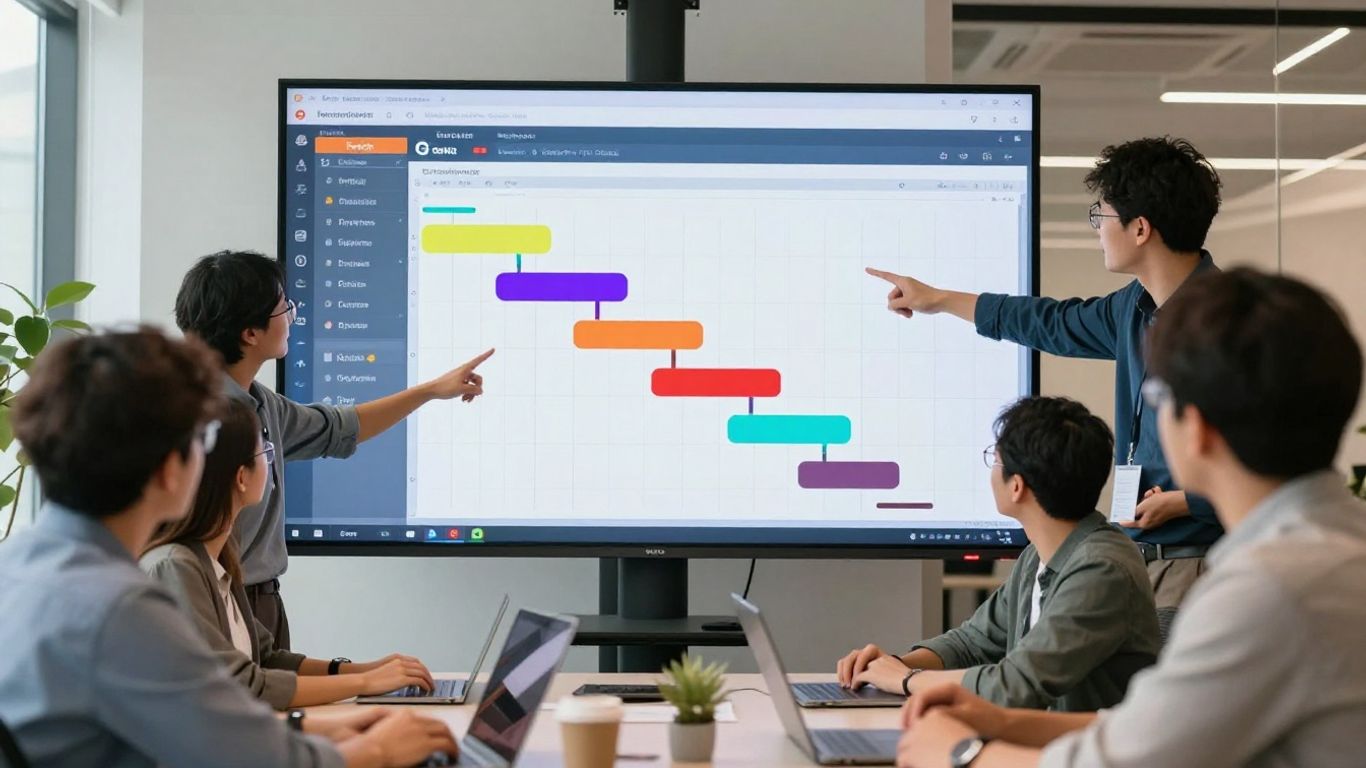
Gantt charts are a classic tool for a reason. They give you a visual roadmap of your entire project, showing what needs to get done, when it should happen, and who’s responsible. This makes it super easy to see how everything fits together.
Think of it like planning a big road trip. You wouldn’t just hop in the car and go, right? You’d map out the route, figure out where you’re stopping each night, and estimate how long each leg will take. A Gantt chart does that for your project. It breaks down the whole thing into smaller, manageable tasks and lays them out on a timeline. You can see dependencies – like needing to finish painting before you can hang the pictures. This helps avoid those “oops, we can’t do that yet” moments.
Here’s a quick look at what you typically see:
- Tasks: The individual jobs that need completing.
- Timeline: A horizontal bar showing the start and end dates for each task.
- Dependencies: Lines or arrows connecting tasks that rely on each other.
- Milestones: Key points in the project, often marked with a diamond shape.
Using Gantt charts can really help with planning and keeping things on track. They provide a clear picture of the project schedule, which is great for setting realistic dates and managing resources. You can find many Gantt chart examples to get ideas for your own projects.
While they are great for visualizing timelines, it’s important to remember that Gantt charts are just a tool. They work best when combined with good communication and a team that understands the plan. Don’t let the chart become more important than the actual work.
They are particularly useful for larger, more complex projects where lots of moving parts need to be coordinated. Seeing the whole picture at once helps prevent bottlenecks and keeps everyone aligned on the project’s progress. For a solid overview of project timelines and task dependencies, Gantt charts are an essential tool in any project manager’s kit.
Gantt charts are a fantastic way to visualize project timelines. They help you see what needs to be done, when it needs to be done, and who is responsible. This makes managing projects much simpler and keeps everyone on the same page. Want to learn more about making your projects run smoothly? Visit our website for more tips and tools!
Wrapping It Up
So, there you have it – a bunch of ideas to get your next project running smoother. It’s not about finding some magic bullet, but more about picking a few things that make sense for your team and the work you’re doing. Trying out new ways to plan, communicate, and keep track of things can really make a difference. Don’t feel like you have to do everything at once. Start with one or two ideas, see how they work, and then build from there. The goal is just to keep getting a little bit better each time.
Frequently Asked Questions
Why are project management ideas important for beginners?
Learning project management ideas early on is super helpful because it teaches you how to organize tasks, work with others, and finish projects smoothly. It’s like learning the rules of a game before you play – it makes everything less confusing and more likely to succeed.
What’s the difference between Agile and Kanban?
Agile is a big approach that focuses on being flexible and making changes as you go, often in short bursts called sprints. Kanban is more about visualizing your work, like on a board, and making sure work flows smoothly without getting stuck. You can even use Kanban within an Agile way of working!
How do Gantt charts help manage projects?
Gantt charts are like a visual timeline for your project. They show you what tasks need to be done, when they should start and finish, and how long they’ll take. This helps you see the big picture and make sure everything stays on track.
What is ‘scope creep’ and how can I avoid it?
Scope creep happens when a project’s goals or tasks keep growing bigger and bigger after it’s already started. To avoid it, make sure you have a clear plan from the beginning and have a process for deciding if new ideas should be added or saved for later.
How can I make sure my team communicates well on a project?
Good communication is key! Set up regular check-ins, use tools where everyone can see updates, and make it clear where to find important information. This stops confusion and makes sure everyone is on the same page.
What does ‘automating project processes’ mean?
Automating means using technology to do repetitive tasks for you, like sending out reminders or sorting tasks. This frees up your team to focus on the more important and creative parts of the project instead of getting bogged down in small, boring jobs.